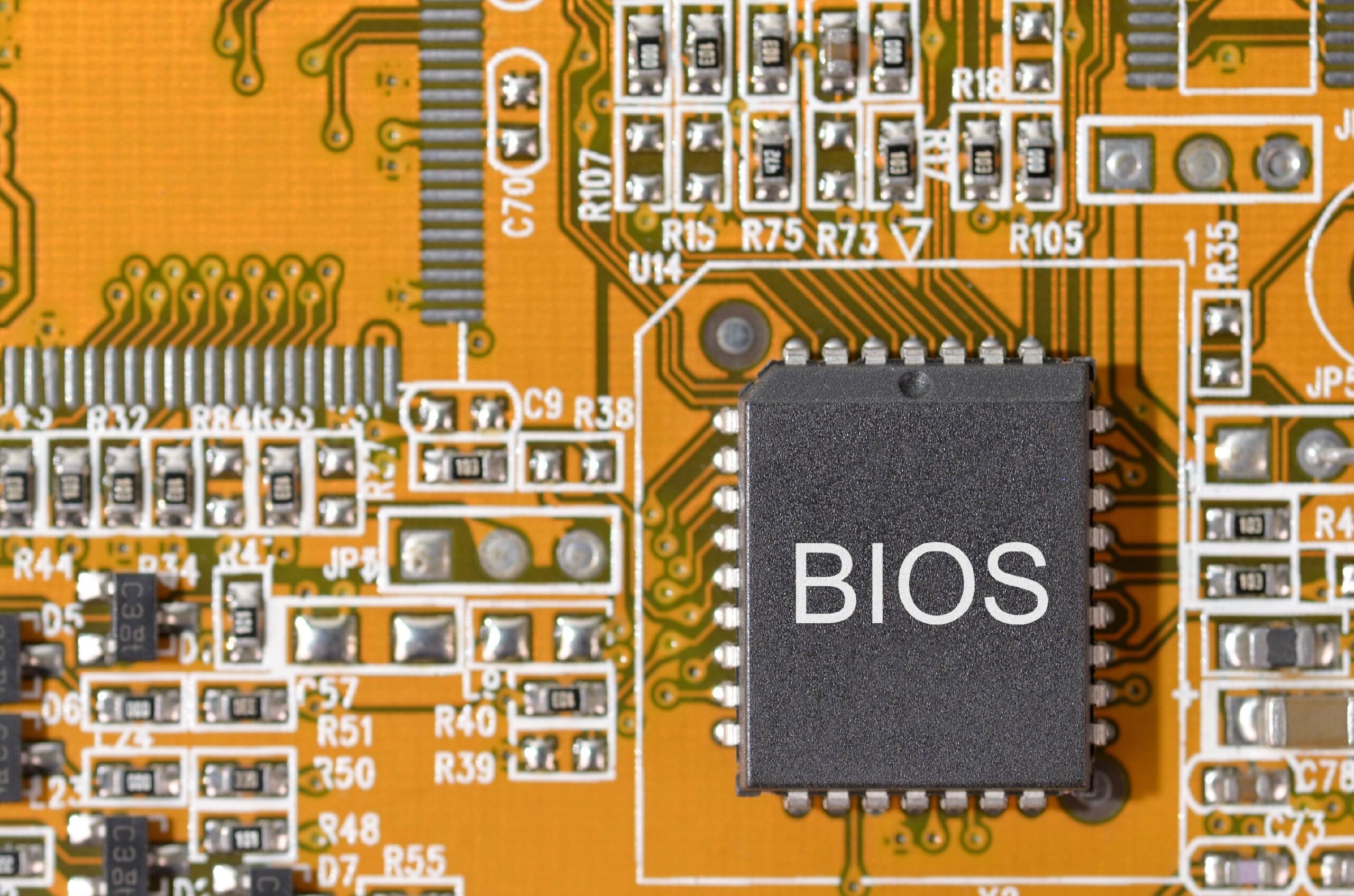
Deskripsi Umum
INT 15h adalah salah satu interupsi BIOS yang paling kompleks dan serbaguna. Interupsi ini menyediakan berbagai layanan sistem tingkat rendah yang mencakup manajemen memori extended, kontrol power management, konfigurasi sistem, dan berbagai fungsi lanjutan lainnya.
Karakteristik
- Tipe: BIOS Service Interrupt
- Kategori: System Services
- Kompleksitas: Tinggi (banyak subfungsi)
- Penggunaan: Boot loader, kernel initialization, system configuration
Sejarah
INT 15h berkembang seiring evolusi PC:
- PC/XT: Fungsi dasar cassette tape (sudah obsolete)
- AT (286): Extended memory services
- 386+: Protected mode services, APM
- Modern: E820 memory map, PCI BIOS
Daftar Lengkap Fungsi INT 15h
Kategori 1: Memory Services
| Fungsi (AX/AH) | Nama | Era | Deskripsi Singkat |
|---|---|---|---|
| AH=87h | Move Extended Memory Block | AT+ | Memindahkan data antara conventional dan extended memory |
| AH=88h | Get Extended Memory Size | AT+ | Mendapatkan ukuran extended memory (KB di atas 1MB) |
| AH=89h | Enter Protected Mode | AT+ | Switch ke Protected Mode (286) |
| AX=E801h | Get Memory Size (Extended) | 386+ | Mendapat ukuran memory >64MB |
| AX=E820h | Get Memory Map | 486+ | PALING PENTING – Memory map detail untuk OS modern |
| AX=E881h | Get Memory Size (Alternative) | Pentium+ | Alternatif E801h |
Kategori 2: APM (Advanced Power Management)
| Fungsi (AX) | Nama | Deskripsi |
|---|---|---|
| AX=5300h | APM Installation Check | Cek ketersediaan APM |
| AX=5301h | APM Real Mode Connect | Koneksi APM di Real Mode |
| AX=5302h | APM Protected Mode Connect | Koneksi APM di Protected Mode |
| AX=5303h | APM Disconnect | Putus koneksi APM |
| AX=5304h | APM Interface Connect | Koneksi interface APM |
| AX=5305h | APM CPU Idle | Set CPU ke idle state |
| AX=5306h | APM CPU Busy | Keluar dari idle state |
| AX=5307h | Set Power State | Set device power state (suspend, off, dll) |
| AX=5308h | Enable/Disable Power Management | Kontrol power management |
| AX=5309h | Restore Default | Restore setting default APM |
| AX=530Ah | Get Power Status | Status battery dan AC |
| AX=530Bh | Get Event | Mendapat APM event |
| AX=530Ch | Get Power State | Status power device |
| AX=530Dh | Enable Device Power Management | Enable PM untuk device tertentu |
| AX=530Eh | Get APM Version | Versi APM driver |
| AX=530Fh | Engage/Disengage Power Management | Engage/disengage PM |
Kategori 3: System Configuration
| Fungsi (AH) | Nama | Deskripsi |
|---|---|---|
| AH=C0h | Get System Configuration | PENTING – Parameter konfigurasi sistem |
| AH=C1h | Get Extended BIOS Data Area | Segment EBDA |
| AH=C2h | Pointing Device (Mouse) | Fungsi PS/2 mouse |
| AH=C3h | Watchdog Timer | Set/reset watchdog timer |
| AH=C4h | Programmable Option Select | POS information (MCA) |
| AH=C9h | Get CPU Info | Informasi CPU (586+) |
Kategori 4: Timing & Delays
| Fungsi (AH) | Nama | Deskripsi |
|---|---|---|
| AH=83h | Event Wait | Set interval atau wait event |
| AH=86h | Wait | Delay dalam microseconds |
| AH=90h | Device Busy | Device busy loop |
| AH=91h | Interrupt Complete | Sinyal interrupt selesai |
Kategori 5: Miscellaneous
| Fungsi (AH) | Nama | Deskripsi |
|---|---|---|
| AH=84h | Joystick Support | Baca joystick |
| AH=85h | SysRq Key | SysRq key handler |
| AH=4Fh | Keyboard Intercept | Hook keyboard |
| AH=D8h | EISA System Functions | Fungsi EISA bus |
Penjelasan Detail Fungsi Penting
AH=88h – Get Extended Memory Size
Deskripsi
Mendapatkan jumlah extended memory (memori di atas 1MB) dalam satuan kilobyte. Fungsi ini hanya dapat mendeteksi maksimum 64MB.
Input Parameters
AH = 88h
Output/Return Values
AX = Jumlah extended memory dalam KB (continuous dari 1MB)
     (0 jika tidak ada extended memory)
CF = Clear jika sukses
CF = Set jika error
     AH = error code (80h = invalid command, 86h = function not supported)
Contoh Penggunaan
; Mendapatkan ukuran extended memory
mov ah, 88h
int 15h
jc .no_extended_memory

; AX sekarang berisi KB extended memory
; Contoh: AX = 15360 berarti 15MB extended memory (total 16MB RAM)

mov [extended_mem_kb], ax
jmp .continue

.no_extended_memory:
    ; Handle: tidak ada extended memory
    xor ax, ax
    mov [extended_mem_kb], ax

.continue:
    ; Lanjutkan...
Limitasi
- Maksimum: 64MB (65535 KB)
- Untuk sistem >64MB, gunakan AX=E801h atau AX=E820h
- Tidak mendeteksi memory holes
Nilai Return Umum
Sistem    | AX Value | Total RAM
----------|----------|----------
2 MB      | 1024     | 1 MB extended
4 MB      | 3072     | 3 MB extended
8 MB      | 7168     | 7 MB extended
16 MB     | 15360    | 15 MB extended
64 MB     | 64512    | ~63 MB extended
128 MB    | 65535    | MAX (terpotong!)
Catatan Penting
⚠️ DEPRECATED untuk sistem modern – Gunakan E820h untuk OS baru
AH=86h – Wait (Microsecond Delay)
Deskripsi
Memberikan delay dalam satuan microseconds. Fungsi ini menggunakan system timer untuk memberikan delay yang akurat tanpa busy-waiting CPU.
Input Parameters
AH = 86h
CX:DX = Jumlah microseconds untuk wait (32-bit value)
        CX = High word
        DX = Low word
Output/Return Values
CF = Clear jika sukses (wait selesai)
CF = Set jika error
     AH = error code:
          80h = Invalid command
          83h = Wait already in progress (wait sebelumnya belum selesai)
          86h = Function not supported
Contoh Penggunaan
Contoh 1: Delay 1 detik (1,000,000 microseconds)
; Delay 1 detik = 1,000,000 microseconds = 0x000F4240
mov ah, 86h
mov cx, 0x000F        ; High word
mov dx, 0x4240        ; Low word
int 15h
jc .wait_error

; Delay selesai, lanjutkan eksekusi
jmp .continue

.wait_error:
    ; Handle error
    ; AH berisi error code

.continue:
    ; Kode selanjutnya...
Contoh 2: Delay 500 milliseconds (500,000 microseconds)
; 500ms = 500,000 = 0x0007A120
mov ah, 86h
mov cx, 0x0007
mov dx, 0xA120
int 15h
Contoh 3: Delay 100 microseconds
; 100 microseconds = 0x00000064
mov ah, 86h
xor cx, cx           ; CX = 0
mov dx, 100          ; DX = 100
int 15h
Tabel Konversi Waktu
Waktu      | Microseconds | CX Value | DX Value
-----------|--------------|----------|----------
1 μs       | 1            | 0x0000   | 0x0001
100 μs     | 100          | 0x0000   | 0x0064
1 ms       | 1,000        | 0x0000   | 0x03E8
10 ms      | 10,000       | 0x0000   | 0x2710
100 ms     | 100,000      | 0x0001   | 0x86A0
500 ms     | 500,000      | 0x0007   | 0xA120
1 sec      | 1,000,000    | 0x000F   | 0x4240
2 sec      | 2,000,000    | 0x001E   | 0x8480
5 sec      | 5,000,000    | 0x004C   | 0x4B40
10 sec     | 10,000,000   | 0x0098   | 0x9680
Implementasi Internal
BIOS biasanya menggunakan:
- System Timer (IRQ 0) yang tick setiap ~55ms
- Real-Time Clock (RTC) untuk timing lebih presisi
- Menghitung jumlah ticks yang diperlukan
Akurasi
- Minimum delay: ~1000 microseconds (1ms) pada kebanyakan sistem
- Akurasi: ±15-55 microseconds (tergantung timer resolution)
- Delay di bawah 1ms mungkin tidak akurat
Catatan Penting
⚠️ Selama wait, CPU tidak melakukan apa-apa (tidak dapat diinterrupt dengan mudah)
⚠️ Hindari wait yang sangat panjang (>beberapa detik) karena dapat membuat sistem terlihat hang
✅ Best practice untuk delay panjang: Gunakan loop dengan delay pendek
; Delay 10 detik dengan loop 10x1 detik
mov cx, 10           ; Loop 10 kali
.delay_loop:
    push cx

    ; Delay 1 detik
    mov ah, 86h
    mov cx, 0x000F
    mov dx, 0x4240
    int 15h

    pop cx
    loop .delay_loop
AH=87h – Move Extended Memory Block
Deskripsi
Memindahkan blok data antara conventional memory (di bawah 1MB) dan extended memory (di atas 1MB), atau antar region di extended memory. Fungsi ini sangat penting untuk bootloader yang perlu memuat kernel ke extended memory.
Input Parameters
AH = 87h
CX = Jumlah words (16-bit) untuk dipindahkan
      (Jadi untuk memindahkan N bytes: CX = N/2)
ES:SI = Pointer ke Global Descriptor Table (GDT)
Output/Return Values
CF = Clear jika sukses
CF = Set jika error
     AH = Error code:
          00h = No error
          01h = RAM parity error
          02h = Exception interrupt error
          03h = Gate A20 error
Global Descriptor Table (GDT) Structure
GDT harus berisi 6 descriptor (48 bytes total):
Offset | Size | Deskripsi
-------|------|------------------------------------------
00h    | 16   | Descriptor NULL (harus diisi 0)
10h    | 16   | Descriptor GDT sendiri (tidak digunakan di Real Mode)
20h    | 16   | Descriptor Source segment
30h    | 16   | Descriptor Destination segment
40h    | 16   | Descriptor BIOS CS (diisi BIOS)
50h    | 16   | Descriptor BIOS SS (diisi BIOS)
Format Descriptor (8 bytes)
Byte  | Bits   | Field
------|--------|----------------------------------
0-1   | 15-0   | Segment Limit (Low)
2-4   | 23-0   | Base Address (Low 24 bits)
5     | 7-0    | Access Rights
6     | 7-4    | Segment Limit (High 4 bits)
      | 3-0    | Flags
7     | 7-0    | Base Address (High 8 bits)
Contoh Penggunaan: Copy dari Conventional ke Extended Memory
; Memindahkan 32KB dari 0x10000 ke 0x100000 (1MB)

; Setup GDT
gdt:
    ; NULL descriptor (offset 0x00)
    dq 0x0000000000000000

    ; GDT descriptor (offset 0x10)
    dq 0x0000000000000000

    ; Source descriptor (offset 0x20)
    ; Base = 0x00010000, Limit = 0xFFFF
    dw 0xFFFF                    ; Limit low
    dw 0x0000                    ; Base low
    db 0x01                      ; Base mid
    db 0x93                      ; Access (P=1, DPL=0, S=1, Type=3)
    db 0x00                      ; Limit high + flags
    db 0x00                      ; Base high

    ; Destination descriptor (offset 0x30)
    ; Base = 0x00100000, Limit = 0xFFFF
    dw 0xFFFF                    ; Limit low
    dw 0x0000                    ; Base low
    db 0x10                      ; Base mid
    db 0x93                      ; Access
    db 0x00                      ; Limit high + flags
    db 0x00                      ; Base high

    ; BIOS CS (offset 0x40) - akan diisi BIOS
    dq 0x0000000000000000

    ; BIOS SS (offset 0x50) - akan diisi BIOS
    dq 0x0000000000000000

; Lakukan copy
mov ax, seg gdt
mov es, ax
mov si, gdt                      ; ES:SI -> GDT
mov ah, 87h
mov cx, 16384                    ; 32KB = 32768 bytes = 16384 words
int 15h
jc .copy_error

; Copy berhasil
jmp .continue

.copy_error:
    ; AH berisi error code
    cmp ah, 01h
    je .parity_error
    cmp ah, 02h
    je .exception_error
    cmp ah, 03h
    je .a20_error
    jmp .unknown_error

.parity_error:
    ; Handle RAM parity error
    ; ...

.exception_error:
    ; Handle exception
    ; ...

.a20_error:
    ; Handle A20 gate error
    ; Mungkin perlu enable A20 gate
    ; ...

.unknown_error:
    ; Handle unknown error
    ; ...

.continue:
Contoh Penggunaan: Helper Macro untuk Mudahkan Setup
; Macro untuk membuat descriptor
%macro DESCRIPTOR 3
    ; %1 = Base address (32-bit)
    ; %2 = Limit (20-bit)
    ; %3 = Access rights byte

    dw (%2 & 0xFFFF)                    ; Limit low
    dw (%1 & 0xFFFF)                    ; Base low
    db ((%1 >> 16) & 0xFF)              ; Base mid
    db %3                                ; Access
    db ((%2 >> 16) & 0x0F)              ; Limit high
    db ((%1 >> 24) & 0xFF)              ; Base high
%endmacro

; Penggunaan:
gdt_copy:
    dq 0                                 ; NULL
    dq 0                                 ; GDT
    DESCRIPTOR 0x00010000, 0xFFFF, 0x93  ; Source
    DESCRIPTOR 0x00100000, 0xFFFF, 0x93  ; Dest
    dq 0                                 ; BIOS CS
    dq 0                                 ; BIOS SS
Access Rights Byte (byte ke-5 descriptor)
Bit 7:   P (Present) = 1 (segment present)
Bit 6-5: DPL (Privilege Level) = 00 (ring 0)
Bit 4:   S (Descriptor Type) = 1 (code/data)
Bit 3-0: Type = 0011 (data, read/write, accessed)

Nilai umum: 0x93 = 10010011b
Batasan dan Catatan
⚠️ A20 Gate harus aktif – Jika A20 gate tidak aktif, akses ke memory >1MB akan wrap around
⚠️ Maksimum transfer: 64KB per call (CX = 0xFFFF words = 0x1FFFE bytes)
⚠️ Alignment: Untuk performa optimal, gunakan address yang aligned ke boundary 2-byte
✅ Untuk transfer besar: Gunakan loop dengan multiple calls
; Transfer 128KB (perlu 2 calls @ 64KB)
; Transfer pertama
mov cx, 32768        ; 64KB = 32768 words
; ... setup GDT untuk offset 0 ...
int 15h

; Transfer kedua
; ... update GDT base address +64KB ...
int 15h
Alternatif untuk Protected Mode
Setelah masuk Protected Mode, fungsi ini tidak diperlukan karena:
- Bisa akses extended memory langsung
- Paging menyediakan mekanisme lebih fleksibel
- Tidak perlu BIOS interrupt
AX=E801h – Get Memory Size (Extended Method)
Deskripsi
Mendapatkan ukuran memory sistem yang lebih detail dibanding AH=88h. Fungsi ini dapat mendeteksi memory hingga 4GB dan memberikan breakdown antara memory 1-16MB dan memory di atas 16MB.
Input Parameters
AX = E801h
Output/Return Values
CF = Clear jika sukses
CF = Set jika tidak didukung

Jika sukses:
AX = Extended memory antara 1MB dan 16MB, dalam KB (max 0x3C00 = 15MB)
BX = Extended memory di atas 16MB, dalam 64KB blocks
CX = Configured memory 1MB to 16MB, dalam KB
DX = Configured memory di atas 16MB, dalam 64KB blocks

Notes:
- Beberapa BIOS mengembalikan hasil di AX/BX saja
- Beberapa BIOS mengembalikan hasil di CX/DX saja
- Beberapa BIOS mengembalikan hasil di keduanya (redundant)
- Untuk kompatibilitas: gunakan CX/DX jika tidak nol, otherwise gunakan AX/BX
Contoh Penggunaan
; Mendapatkan total memory menggunakan E801h
mov ax, 0xE801
int 15h
jc .e801_failed

; Cek mana yang valid: CX/DX atau AX/BX
test cx, cx
jnz .use_cx_dx

; Gunakan AX/BX
mov cx, ax
mov dx, bx

.use_cx_dx:
; CX = KB antara 1MB-16MB
; DX = 64KB blocks di atas 16MB

; Hitung total memory dalam KB
; Total = 1024 (conventional) + CX + (DX * 64)

movzx eax, cx        ; EAX = KB antara 1-16MB
movzx ebx, dx        ; EBX = blocks di atas 16MB
shl ebx, 6           ; EBX = EBX * 64 (convert ke KB)
add eax, ebx         ; EAX = total extended KB
add eax, 1024        ; Tambah 1MB conventional

; EAX sekarang berisi total KB memory
mov [total_memory_kb], eax

; Konversi ke MB untuk display
shr eax, 10          ; EAX = MB
mov [total_memory_mb], eax

jmp .continue

.e801_failed:
    ; Fallback ke metode lain (E820h atau AH=88h)
    ; ...

.continue:
Contoh Kalkulasi
Contoh 1: Sistem 64MB
CX = 0x3C00 (15360 KB = 15 MB antara 1-16MB)
DX = 0x0300 (768 blocks * 64KB = 48MB di atas 16MB)

Total = 1MB + 15MB + 48MB = 64MB
Contoh 2: Sistem 256MB
CX = 0x3C00 (15 MB)
DX = 0x0F00 (3840 blocks * 64KB = 240MB)

Total = 1MB + 15MB + 240MB = 256MB
Contoh 3: Sistem 8MB (memory di bawah 16MB saja)
CX = 0x1C00 (7168 KB = 7 MB)
DX = 0x0000 (tidak ada memory di atas 16MB)

Total = 1MB + 7MB = 8MB
Fungsi Helper untuk Kalkulasi
; Function: calculate_total_memory_e801
; Input: CX = KB (1-16MB), DX = 64KB blocks (>16MB)
; Output: EAX = Total memory dalam KB
calculate_total_memory_e801:
    push ebx

    ; Extended memory 1-16MB
    movzx eax, cx

    ; Extended memory >16MB
    movzx ebx, dx
    shl ebx, 6           ; Multiply by 64

    ; Total extended
    add eax, ebx

    ; Tambah conventional (1MB)
    add eax, 1024

    pop ebx
    ret
Tabel Hasil Umum
Total RAM | CX (KB)  | DX (blocks) | Perhitungan
----------|----------|-------------|---------------------------
2 MB      | 0x0400   | 0x0000      | 1 + 1 + 0 = 2MB
4 MB      | 0x0C00   | 0x0000      | 1 + 3 + 0 = 4MB
8 MB      | 0x1C00   | 0x0000      | 1 + 7 + 0 = 8MB
16 MB     | 0x3C00   | 0x0000      | 1 + 15 + 0 = 16MB
32 MB     | 0x3C00   | 0x0100      | 1 + 15 + 16 = 32MB
64 MB     | 0x3C00   | 0x0300      | 1 + 15 + 48 = 64MB
128 MB    | 0x3C00   | 0x0700      | 1 + 15 + 112 = 128MB
256 MB    | 0x3C00   | 0x0F00      | 1 + 15 + 240 = 256MB
512 MB    | 0x3C00   | 0x1F00      | 1 + 15 + 496 = 512MB
1 GB      | 0x3C00   | 0x3F00      | 1 + 15 + 1008 = 1GB
2 GB      | 0x3C00   | 0x7F00      | 1 + 15 + 2032 = 2GB
4 GB      | 0x3C00   | 0xFFFF      | 1 + 15 + ~4GB (max)
Perbandingan dengan Metode Lain
| Metode | Max Memory | Detail | Recommended |
|---|---|---|---|
| AH=88h | 64MB | Single value | ❌ Obsolete |
| AX=E801h | 4GB | Two values | ⚠️ OK untuk simple |
| AX=E820h | Unlimited | Full map | ✅ BEST |
Limitasi
⚠️ Tidak mendeteksi memory holes – Tidak tahu tentang reserved regions
⚠️ Tidak detail – Hanya tahu total, bukan layout
⚠️ Maximum 4GB – Untuk memory >4GB, harus gunakan E820h
Fallback Strategy
; Coba E820 dulu (paling detail)
; Jika gagal, coba E801
; Jika gagal, coba 88h

; Try E820
mov eax, 0xE820
; ... call ...
jnc .got_memory

; Try E801
mov ax, 0xE801
int 15h
jnc .got_memory_e801

; Try 88h
mov ah, 88h
int 15h
jnc .got_memory_88h

; No memory detection available!
jmp .error

.got_memory:
    ; Process E820 map
    ; ...
    jmp .done

.got_memory_e801:
    ; Process E801 values
    ; ...
    jmp .done

.got_memory_88h:
    ; Process 88h value (AX = KB)
    ; ...
    jmp .done

.done:
AX=E820h – Get Memory Map (CRITICAL untuk OS Modern)
Deskripsi
Ini adalah fungsi PALING PENTING untuk bootloader dan kernel modern!
E820h memberikan memory map lengkap sistem, termasuk:
- Region yang tersedia (usable RAM)
- Region yang reserved (ROM, MMIO, ACPI)
- Memory holes
- ACPI tables
- Ukuran dan tipe setiap region
Input Parameters
EAX = 0xE820
EBX = Continuation value (0 untuk entry pertama, value dari call sebelumnya untuk next)
ECX = Buffer size (minimum 20 bytes, recommended 24 bytes untuk ACPI 3.0+)
EDX = Signature 'SMAP' (0x534D4150)
ES:DI = Pointer ke buffer untuk menerima entry
Output/Return Values
CF = Clear jika sukses
CF = Set jika end of list atau error

Jika sukses (CF=0):
EAX = Signature 'SMAP' (0x534D4150)
EBX = Continuation value untuk next entry
      (0 jika ini adalah entry terakhir)
ECX = Actual size of entry returned (20 atau 24 bytes)
ES:DI = Entry data written to buffer
Memory Map Entry Structure
Basic Structure (20 bytes)
struct E820Entry {
    uint64_t base;       // Base address (8 bytes)
    uint64_t length;     // Length of region (8 bytes)
    uint32_t type;       // Type of region (4 bytes)
} __attribute__((packed));
Extended Structure (24 bytes) – ACPI 3.0+
struct E820EntryExtended {
    uint64_t base;       // Base address (8 bytes)
    uint64_t length;     // Length of region (8 bytes)
    uint32_t type;       // Type of region (4 bytes)
    uint32_t acpi_ext;   // Extended attributes (4 bytes)
} __attribute__((packed));
Memory Region Types
| Type | Nama | Deskripsi | Usage |
|---|---|---|---|
| 1 | Usable (Available) | RAM yang bisa digunakan OS | ✅ Use this |
| 2 | Reserved | Hardware reserved, jangan digunakan | ❌ Do not use |
| 3 | ACPI Reclaimable | ACPI tables, bisa direclaim setelah parsing | ⚠️ Reclaim after ACPI init |
| 4 | ACPI NVS | ACPI Non-Volatile Storage | ❌ Do not use |
| 5 | Bad Memory | Memory rusak | ❌ Never use |
| 12 | PRAM (Persistent RAM) | Persistent memory | ⚠️ Special handling |
ACPI Extended Attributes (bit flags)
Bit 0: Ignore entry jika bit ini clear
Bit 1: Non-volatile (persistent across reboots)
Bits 2-31: Reserved
Contoh Penggunaan Lengkap
; Buffer untuk menyimpan memory map entries
section .bss
memory_map:
    resb 24 * 128       ; Space untuk 128 entries @ 24 bytes
memory_map_count:
    resw 1

section .text
; Function: detect_memory_e820
; Returns: Number of entries dalam memory_map_count
detect_memory_e820:
    push es
    push di
    push ebp
    mov ebp, esp

    ; Setup ES:DI untuk buffer
    mov ax, ds
    mov es, ax
    mov di, memory_map

    xor ebx, ebx            ; EBX = 0 untuk entry pertama
    xor bp, bp              ; BP = entry counter

.loop:
    mov eax, 0xE820         ; Function code
    mov ecx, 24             ; Buffer size (support ACPI 3.0)
    mov edx, 0x534D4150     ; 'SMAP' signature
    int 15h

    ; Check error
    jc .failed              ; Carry set = error/end

    ; Verify signature
    cmp eax, 0x534D4150
    jne .failed

    ; Check if entry is valid (length > 0)
    mov eax, [es:di + 8]    ; Low dword of length
    or eax, [es:di + 12]    ; High dword of length
    jz .skip_entry          ; Skip if length = 0

    ; Entry valid, increment counter
    inc bp
    add di, 24              ; Move to next entry

.skip_entry:
    ; Check if more entries
    test ebx, ebx
    jz .done                ; EBX = 0 means last entry

    ; Check if buffer full
    cmp bp, 128
    jge .done

    jmp .loop

.done:
    mov [memory_map_count], bp
    clc                     ; Success
    jmp .exit

.failed:
    xor bp, bp              ; No entries
    mov [memory_map_count], bp
    stc                     ; Error

.exit:
    mov esp, ebp
    pop ebp
    pop di
    pop es
    ret
Contoh Output Memory Map (Real System)
Entry | Base Address      | Length           | Type | Description
------|-------------------|------------------|------|------------------
0     | 0x0000000000000000| 0x000000000009FC00| 1    | Low RAM (639KB)
1     | 0x000000000009FC00| 0x0000000000000400| 2    | Reserved (1KB)
2     | 0x00000000000E0000| 0x0000000000020000| 2    | Reserved (BIOS)
3     | 0x0000000000100000| 0x000000003FEF0000| 1    | Usable (1022MB)
4     | 0x000000003FFF0000| 0x0000000000010000| 3    | ACPI Reclaimable
5     | 0x00000000FFFE0000| 0x0000000000020000| 2    | Reserved (BIOS)
Fungsi Helper: Mencari Largest Usable Region
; Function: find_largest_usable_region
; Returns: EAX:EDX = base address, ECX:EBX = length
find_largest_usable_region:
    push esi
    push edi
    push ebp

    xor ecx, ecx            ; Largest length (low)
    xor ebx, ebx            ; Largest length (high)
    xor eax, eax            ; Largest base (low)
    xor edx, edx            ; Largest base (high)

    mov si, memory_map
    movzx ebp, word [memory_map_count]
    test ebp, ebp
    jz .done

.loop:
    ; Check if type = 1 (usable)
    cmp dword [si + 16], 1
    jne .next

    ; Compare length
    mov edi, [si + 12]      ; Length high
    cmp edi, ebx
    jb .next                ; Smaller
    ja .update              ; Larger

    mov edi, [si + 8]       ; Length low
    cmp edi, ecx
    jbe .next               ; Smaller or equal

.update:
    ; This region is larger
    mov eax, [si + 0]       ; Base low
    mov edx, [si + 4]       ; Base high
    mov ecx, [si + 8]       ; Length low
    mov ebx, [si + 12]      ; Length high

.next:
    add si, 24
    dec ebp
    jnz .loop

.done:
    pop ebp
    pop edi
    pop esi
    ret
Fungsi Helper: Calculate Total Usable Memory
; Function: calculate_total_usable_memory
; Returns: EDX:EAX = Total usable bytes
calculate_total_usable_memory:
    push esi
    push ebp

    xor eax, eax            ; Total low
    xor edx, edx            ; Total high

    mov si, memory_map
    movzx ebp, word [memory_map_count]
    test ebp, ebp
    jz .done

.loop:
    ; Check if type = 1 (usable)
    cmp dword [si + 16], 1
    jne .next

    ; Add length to total
    add eax, [si + 8]       ; Add length low
    adc edx, [si + 12]      ; Add length high with carry

.next:
    add si, 24
    dec ebp
    jnz .loop

.done:
    pop ebp
    pop esi
    ret
Contoh Display Memory Map
; Function: print_memory_map
print_memory_map:
    push esi
    push ebp

    mov si, memory_map
    movzx ebp, word [memory_map_count]

    ; Print header
    mov si, msg_header
    call print_string

    mov si, memory_map
    xor cx, cx              ; Entry number

.loop:
    ; Print entry number
    mov ax, cx
    call print_hex_word

    mov al, ':'
    call print_char
    mov al, ' '
    call print_char

    ; Print base address (64-bit)
    mov eax, [si + 4]       ; High dword
    call print_hex_dword
    mov eax, [si + 0]       ; Low dword
    call print_hex_dword

    mov al, ' '
    call print_char

    ; Print length (64-bit)
    mov eax, [si + 12]      ; High dword
    call print_hex_dword
    mov eax, [si + 8]       ; Low dword
    call print_hex_dword

    mov al, ' '
    call print_char

    ; Print type
    mov eax, [si + 16]
    call print_hex_dword

    ; Print type description
    mov eax, [si + 16]
    cmp eax, 1
    je .type_usable
    cmp eax, 2
    je .type_reserved
    cmp eax, 3
    je .type_acpi_reclaim
    cmp eax, 4
    je .type_acpi_nvs
    cmp eax, 5
    je .type_bad
    jmp .type_unknown

.type_usable:
    mov si, msg_usable
    jmp .print_type
.type_reserved:
    mov si, msg_reserved
    jmp .print_type
.type_acpi_reclaim:
    mov si, msg_acpi_reclaim
    jmp .print_type
.type_acpi_nvs:
    mov si, msg_acpi_nvs
    jmp .print_type
.type_bad:
    mov si, msg_bad
    jmp .print_type
.type_unknown:
    mov si, msg_unknown

.print_type:
    mov al, ' '
    call print_char
    call print_string
    call print_newline

    ; Next entry
    add si, 24
    inc cx
    dec ebp
    jnz .loop

    pop ebp
    pop esi
    ret

msg_header:        db 'Memory Map:', 13, 10, 0
msg_usable:        db '(Usable)', 0
msg_reserved:      db '(Reserved)', 0
msg_acpi_reclaim:  db '(ACPI Reclaim)', 0
msg_acpi_nvs:      db '(ACPI NVS)', 0
msg_bad:           db '(Bad Memory)', 0
msg_unknown:       db '(Unknown)', 0
Typical Memory Map Layout
0x00000000 - 0x0009FFFF : Usable (640KB - Low Memory)
0x000A0000 - 0x000BFFFF : Reserved (VGA memory)
0x000C0000 - 0x000FFFFF : Reserved (BIOS ROM)
0x00100000 - 0x???????? : Usable (Extended Memory - varies)
0x???????? - 0x???????? : ACPI Reclaimable
0xFFFE0000 - 0xFFFFFFFF : Reserved (BIOS)
Best Practices
✅ ALWAYS use E820h untuk OS modern – ini adalah standard de-facto
✅ Check ECX return – Beberapa BIOS return 20, beberapa 24 bytes
✅ Validate entries – Skip entries dengan length = 0
✅ Handle extended attributes – Untuk ACPI 3.0+ systems
✅ Save map early – Collect sebelum masuk Protected Mode
⚠️ Sort entries – Beberapa BIOS tidak return entries dalam urutan ascending
⚠️ Merge contiguous regions – Optimize memory management
Error Handling
; Fallback jika E820h gagal
call detect_memory_e820
jnc .e820_success

; E820 failed, try E801
mov ax, 0xE801
int 15h
jnc .e801_success

; E801 failed, try 88h
mov ah, 88h
int 15h
jnc .88h_success

; All methods failed!
; Assume minimal memory atau halt
jmp error_no_memory

.e820_success:
    ; Use E820 map (best)
    ; ...
    jmp continue

.e801_success:
    ; Convert E801 to simple map
    ; ...
    jmp continue

.88h_success:
    ; Convert 88h to simple map
    ; ...
    jmp continue

continue:
    ; Proceed with detected memory
AH=C0h – Get System Configuration
Deskripsi
Mendapatkan pointer ke system configuration table yang berisi informasi hardware dan capabilities sistem. Table ini sangat berguna untuk mendeteksi fitur-fitur yang tersedia.
Input Parameters
AH = C0h
Output/Return Values
CF = Clear jika sukses
CF = Set jika tidak didukung

Jika sukses:
ES:BX = Pointer ke ROM system configuration table
AH = 00h (success)

Jika gagal:
AH = 80h (Invalid command)
AH = 86h (Function not supported)
System Configuration Table Structure
struct SystemConfigTable {
    uint16_t length;         // Length of table (bytes) - typically 8 or 9
    uint8_t  model;          // Model byte
    uint8_t  submodel;       // Submodel byte
    uint8_t  bios_revision;  // BIOS revision level
    uint8_t  feature1;       // Feature byte 1
    uint8_t  feature2;       // Feature byte 2
    uint8_t  feature3;       // Feature byte 3
    uint8_t  feature4;       // Feature byte 4
    uint8_t  feature5;       // Feature byte 5
} __attribute__((packed));
Feature Byte 1 (offset 5)
Bit 7: DMA channel 3 used by hard disk BIOS
Bit 6: Second interrupt controller (slave 8259) installed
Bit 5: Real-Time Clock installed
Bit 4: Keyboard intercept (INT 15h/AH=4Fh) called by INT 09h
Bit 3: Wait for external event supported (INT 15h/AH=83h, 86h)
Bit 2: Extended BIOS data area allocated
Bit 1: Micro Channel implemented
Bit 0: Reserved
Feature Byte 2 (offset 6)
Bit 7: Reserved
Bit 6: Reserved
Bit 5: Reserved
Bit 4: POST supports system information from CMOS
Bit 3: Reserved
Bit 2: Reserved
Bit 1: Reserved
Bit 0: Reserved
Model Byte Values (Common Systems)
0xFC - AT (PC/AT)
0xF8 - PS/2 Model 80
0xF9 - Convertible
0xFA - PS/2 Model 30
0xFB - PS/2 Model 25 or 30
0xFE - XT
0xFF - PC
Contoh Penggunaan
; Get system configuration
mov ah, 0xC0
int 15h
jc .not_supported

; ES:BX now points to configuration table
; Read table length
mov cx, [es:bx]         ; CX = table length

; Read model
mov al, [es:bx+2]       ; AL = model byte
mov [system_model], al

; Read submodel
mov al, [es:bx+3]       ; AL = submodel
mov [system_submodel], al

; Read BIOS revision
mov al, [es:bx+4]       ; AL = BIOS revision
mov [bios_revision], al

; Check feature byte 1
mov al, [es:bx+5]
test al, 0x20           ; Bit 5: RTC installed?
jz .no_rtc
    ; RTC is installed
    mov byte [has_rtc], 1

.no_rtc:
    test al, 0x40       ; Bit 6: Slave PIC?
    jz .no_slave_pic
    ; Slave PIC installed
    mov byte [has_slave_pic], 1

.no_slave_pic:
    test al, 0x10       ; Bit 4: Keyboard intercept?
    jz .no_kbd_intercept
    ; Keyboard intercept supported
    mov byte [has_kbd_intercept], 1

.no_kbd_intercept:
    jmp .continue

.not_supported:
    ; Function not supported
    ; Assume default configuration
    ; ...

.continue:
Fungsi Helper: Print System Info
print_system_config:
    push es
    push bx

    mov ah, 0xC0
    int 15h
    jc .error

    ; Print model
    mov si, msg_model
    call print_string
    mov al, [es:bx+2]
    call print_hex_byte
    call print_newline

    ; Print submodel
    mov si, msg_submodel
    call print_string
    mov al, [es:bx+3]
    call print_hex_byte
    call print_newline

    ; Print BIOS revision
    mov si, msg_revision
    call print_string
    mov al, [es:bx+4]
    call print_hex_byte
    call print_newline

    ; Print features
    mov si, msg_features
    call print_string

    mov al, [es:bx+5]       ; Feature byte 1

    test al, 0x20
    jz .no_rtc_print
    mov si, msg_rtc
    call print_string
.no_rtc_print:

    test al, 0x40
    jz .no_pic_print
    mov si, msg_pic
    call print_string
.no_pic_print:

    test al, 0x04
    jz .no_ebda_print
    mov si, msg_ebda
    call print_string
.no_ebda_print:

    call print_newline
    jmp .done

.error:
    mov si, msg_not_supported
    call print_string

.done:
    pop bx
    pop es
    ret

msg_model:          db 'Model: ', 0
msg_submodel:       db 'Submodel: ', 0
msg_revision:       db 'BIOS Revision: ', 0
msg_features:       db 'Features: ', 0
msg_rtc:            db 'RTC ', 0
msg_pic:            db 'PIC ', 0
msg_ebda:           db 'EBDA ', 0
msg_not_supported:  db 'System config not supported', 13, 10, 0
Contoh Detection Flow
; Comprehensive system detection
detect_system_features:
    ; 1. Get system configuration
    mov ah, 0xC0
    int 15h
    jc .no_config

    ; Save feature flags
    mov al, [es:bx+5]
    mov [feature_flags], al

    ; 2. Check for slave PIC
    test al, 0x40
    jz .single_pic

    ; Dual PIC system (IRQ 0-15)
    mov byte [max_irq], 15
    jmp .pic_done

.single_pic:
    ; Single PIC (IRQ 0-7)
    mov byte [max_irq], 7

.pic_done:
    ; 3. Check for RTC
    test byte [feature_flags], 0x20
    jz .no_rtc
    mov byte [has_rtc], 1

.no_rtc:
    ; 4. Check for EBDA
    test byte [feature_flags], 0x04
    jz .no_ebda

    ; Get EBDA segment
    mov ah, 0xC1
    int 15h
    jc .no_ebda
    mov [ebda_segment], es

.no_ebda:
    clc
    ret

.no_config:
    ; Assume defaults for old systems
    mov byte [max_irq], 7
    mov byte [has_rtc], 0
    mov word [ebda_segment], 0
    stc
    ret
AH=C1h – Get Extended BIOS Data Area (EBDA)
Deskripsi
Mendapatkan segment address dari Extended BIOS Data Area (EBDA). EBDA adalah area memori yang digunakan BIOS untuk menyimpan data runtime tambahan.
Input Parameters
AH = C1h
Output/Return Values
CF = Clear jika sukses
ES = EBDA segment address

CF = Set jika error atau tidak didukung
EBDA Information
Location
- Typical address: 0x9FC00 – 0x9FFFF (di bawah 640KB boundary)
- Size: Bervariasi, typically 1KB – 4KB
- Detection alternative: Segment address juga tersimpan di 0x0040:0x000E
Contents
EBDA biasanya berisi:
- PS/2 mouse data
- Additional disk parameter tables
- PCI BIOS data structures
- ACPI tables (pointer)
- Extended keyboard buffer
- Manufacturing test data
Contoh Penggunaan
; Method 1: Using INT 15h, AH=C1h
get_ebda_int15:
    mov ah, 0xC1
    int 15h
    jc .not_supported

    ; ES = EBDA segment
    mov [ebda_segment], es
    clc
    ret

.not_supported:
    xor ax, ax
    mov [ebda_segment], ax
    stc
    ret

; Method 2: Reading from BDA (More compatible)
get_ebda_from_bda:
    push es

    ; BDA segment
    mov ax, 0x0040
    mov es, ax

    ; EBDA segment stored at 0x0040:0x000E
    mov ax, [es:0x000E]
    mov [ebda_segment], ax

    pop es
    ret

; Method 3: Calculate from memory size
get_ebda_from_memsize:
    ; Get base memory size (INT 12h)
    int 12h                 ; AX = KB

    ; Convert to segment (KB * 1024 / 16)
    mov cl, 6
    shl ax, cl              ; AX = segment

    mov [ebda_segment], ax
    ret
Validating EBDA
; Validate EBDA segment
validate_ebda:
    mov ax, [ebda_segment]

    ; Check if valid (should be below A000h and above 8000h typically)
    cmp ax, 0xA000
    jae .invalid

    cmp ax, 0x8000
    jb .invalid

    ; Valid
    clc
    ret

.invalid:
    stc
    ret
Reading EBDA Data
; Example: Find PS/2 mouse data in EBDA
find_ps2_mouse_data:
    push es

    mov ax, [ebda_segment]
    test ax, ax
    jz .not_found

    mov es, ax

    ; First word of EBDA usually contains EBDA size in KB
    mov cx, [es:0]

    ; PS/2 mouse data typically at offset varies
    ; Need to scan or know specific offset
    ; This is system-specific

    ; ...

    pop es
    clc
    ret

.not_found:
    pop es
    stc
    ret
EBDA Size Detection
; Get EBDA size
get_ebda_size:
    push es

    mov ax, [ebda_segment]
    test ax, ax
    jz .no_ebda

    mov es, ax

    ; First word = size in KB
    movzx ax, byte [es:0]   ; Some BIOS use byte, some use word

    ; Convert to bytes
    mov bx, 1024
    mul bx                  ; DX:AX = size in bytes

    pop es
    ret

.no_ebda:
    xor ax, ax
    xor dx, dx
    pop es
    ret
Complete EBDA Detection
; Comprehensive EBDA detection
detect_ebda:
    push es

    ; Try method 1: INT 15h, C1h
    mov ah, 0xC1
    int 15h
    jnc .got_ebda

    ; Try method 2: From BDA
    mov ax, 0x0040
    mov es, ax
    mov ax, [es:0x000E]
    test ax, ax
    jnz .got_ebda_from_bda

    ; Try method 3: Calculate from memory
    int 12h                 ; Get memory size
    mov cl, 6
    shl ax, cl

.got_ebda_from_bda:
    mov es, ax

.got_ebda:
    ; Validate
    mov ax, es
    cmp ax, 0x8000
    jb .invalid
    cmp ax, 0xA000
    jae .invalid

    ; Store
    mov [ebda_segment], ax

    ; Get size
    movzx ax, byte [es:0]
    mov [ebda_size_kb], ax

    pop es
    clc
    ret

.invalid:
    xor ax, ax
    mov [ebda_segment], ax
    mov [ebda_size_kb], ax
    pop es
    stc
    ret
Important Notes
⚠️ EBDA location varies – Always detect, never assume fixed address
⚠️ Size varies – From 1KB to several KB depending on BIOS
⚠️ OS should relocate – Before using memory, OS should move/reclaim EBDA if needed
✅ Use for: Detecting additional hardware info, PS/2 mouse, etc.
APM (Advanced Power Management) – AX=53xxh Series
Deskripsi Umum
APM adalah interface untuk manajemen daya sistem sebelum era ACPI. Masih digunakan pada sistem lama dan sebagai fallback pada beberapa sistem modern.
APM Version History
- APM 1.0: Basic power management
- APM 1.1: Improved CPU idle
- APM 1.2: Additional power states
Catatan
⚠️ Deprecated – Sistem modern menggunakan ACPI, tapi APM masih berguna untuk:
- Legacy systems
- Embedded systems
- Fallback mechanism